TIME

Showing posts with label Gadgets. Show all posts

Thursday, 15 March 2012

Can the iPad 3 Screen be used in Daylight?

Apple launched a new iPad model last week that, among other things, has a retina display, a faster processor and a better camera. Now here are some still image frames grabbed from the video ad that Apple released soon after the iPad 3 announcement.

Image 1: An old man drawing something on his iPad.

1

Image 2: This man is shooting a video of his family playing on the beach.

2

Image 3: A lady is buying fruits while looking at the iPad.

3

Image 4: The family is celebrating their kid’s birthday in the garden.

4

There’s one things that’s common in all the above images. You can see people using their iPad outside in daylight even while they are on the beach.

The screen of the original iPad and that of iPad 2 is very reflective and barely visible when you are using the tablet in the open but if this video ad is any indication, those Kindle “Pool” ads would soon be irrelevant.

We’ll have to wait until March 16th when “real” users get their hands on the new iPad.

THE NEW IPAD 3 ADVERTISEMENT

COURTESY-DIGITAL INSPIRATION

Tuesday, 14 February 2012

Mobile Phones before and after iPhone


Here is a very interesting finding which depicts reality of what mobile phones looked like before and after the iPhone.
The snapshot indicates how drastically has been altered the mobile landscape by Apple upon release its first iPhone in 2007.

1111

Monday, 13 February 2012

Photo Comparison: Xperia S and Xperia arc S


If you one among the people who think mega pixels doesn’t really matter in the clarity of a photo, here’s something to substantiate your theory. We have a couple of sample photos from the Xperia S (12MP camera) and the Xperia arc S (8MP). From what we see through our eyes it’s evident that arc S’s 8MP beats the S’s 12MP.

Arc S delivers a better snap in low light and normal light conditions. Just see it yourself.


                 Xperia arc S Samples                                            Xperia S Samples

x1x2x3x4

Tuesday, 31 January 2012

The all New and Sturdy Casio Android G-shock Smartphone

The new Casio Android G-shock smart phone is another strong and ‘tough as nails’ smart phone from the house of Casio. It is mainly aimed for those who enjoy outdoor activities and like to live a rough and tough life without having to worry about the safety of their Smartphone.

gsh

The Striking Design of Casio Android G-shock Smartphone

Like all the earlier designs of the Casio phones, the G-shock Smartphone also displays the signature design of the watches from Casio. To give it a more interesting look, all the buttons of the G-shock smartphone are placed on the sides and near the corners of it. The rear side of this smart phone is given a tougher look with exposed screws and an attractive metal case back.

Some Key Resistant Qualities of the G-shock Smartphone

As the name suggests, Casio has emphasized more on the resistant quality, to make it a damage free unbreakable smartphone. Some of its highly featured resilient features are:

  • Water resistant capacity up to 1.0bar(10m)
  • Shock resistant capacity to 10 feet
  • Can resist pressure to 1.0bar
  • Contains a metal case back
  • Constructed by using plastic/resin

Therefore, with so many impervious attributes, this new G-shock smartphone from Casio is all set to deliver a shock to the customers. Ardent lovers of extreme sports would love to own this new Smartphone as it will allow them to carry it even while enjoying their sports activities.

As Casio is famous for producing durable wrist watches, so in order to mirror the quality and durability of their watches, Casio has tried to give this phone a look like their wrist watches. Although its price is still not disclosed, this new G-shock will definitely become one of the favorites among the prospective customers.

Friday, 27 January 2012

The New Range of Ice-Cream Sandwich Tablets from Coby

CES 2012 was the venue of Coby’s display of a whole new series of tablets. The clan of ice cream sandwich slates was launched for the first time here, were still trial products, but user experience differed a great deal between models.
It won’t be too wrong to say that The Coby Family will give a stiff competition to the other price-savvy models as these tablets are priced at quite a reasonable amount.
coby
Adding to that, they are equipped with all the cutting-edge features and technologies which a budget tablet fan yearns for. Here is a list of the tablets that were displayed at CES 2012 with their respective facets:
1. Model MID9742
The MID9742 has a screen of 9.7 inches with excellent graphics. Though the software seemed not up to the mark, it is still quite reliable or so it seemed. It is priced around $275.
2. Model MID8042
This is perhaps not a very recommendable version. It crashed during simple navigation which is not something expected of a tablet packed with ARM a8 1GHz processor. The screen is 8 inches in size and the presence of ICS in this smaller form is quite impressive.
3. Model MID7042
The MID7042 with its 7 inch display looks more like an e-reader which has decided to hold onto a physical home button in spite of its obsolete position on Android’s convergence OS. The price of $150 is quite in sync with the screen size.
4. Model MID7014
The MID7014 has a similar 7 inch display. It is powered with Android Gingerbread, a mini –USB port which is quite unusual, a micro-SD slot and no HDMI output as found on the other tablets. This model is likely to be priced at $100.
The dates when all of Coby’s ice cream sandwich tablets will be launched have not been declared yet, but we expect it to happen soon enough.

The New Vostro V131 Notebook from Dell

The Vostro V131 that has been launched by Dell has been getting great reviews from both new users and the seasoned professionals.

This latest series from Dell is said to have an excellent exterior finish that is of red color and are prone to the fingerprints due to the shiny coating. Its interior is covered with a black coating making it quite attractive.

This laptop looks quite light and compact with a superior build, excellent quality and striking design.

dell vostro

Enhanced Features of the Vostro V131

This particular series is said to come with various connectivity options. The ports that are present in the left come with an HDMI slot, USB port, card reader and an effective heatsink. The user can find two slots of USB 3.0, VGA port, 3.5mm jack and an Ethernet port, and a power slot is found on the back.

At the bottom panel in the front are the stereo speakers, with notification LED’s. This particular laptop gets power from Intel Core i3, and has a 2330M processor that runs at 2.2GHz clock speed.

Other specifications of this wonderful machine includes 2GB RAM, 500GB HDD with integrated HD3000 Intel Graphics card. Other usual stuffs like Wi-Fi, integrated webcam, fingerprint reader and Bluetooth 3.0 are present in it and the OS is Windows 7 Professional version.

Weak Points of this Laptop

The Vostro V131 is also said to have some flaws. The hinge area is considered to be extremely fragile and one could find an impression on the screen’s other side if pressed lightly on the outside.

The LCD is found a bit wanting as it causes the pixels to smear even on a light touch. The keyboard has plenty of armrest. However, the Vostro V131 has still taken market by storm and has grabbed some great positive remarks from its users and is recommended to the new users.

Thursday, 26 January 2012

Sony Ericsson Plans to Change Fortunes in 2012 with Nyphon and Nozomi..


 The year 2011 was not so bright for Sony Ericsson with no major launches happening and the ones that were launched failed to gain significant exposure in the market.
However, the company aims to turn the tides in its favour in 2012 as they are planning to roll out a slew of new models this year starting with the Sony Ericsson Nyphon and the Sony Ericsson Nozomi.
Given the size and specs of these models, Sony is expected to peg them as the brand’s flagship models. So let us take a closer look to examine which one is poised to capture the market faster.
Looks
 
Sony_Ericsson_LT221_Nypon


The Nozomi is somewhat a clear cut smartphone with futuristic styling complemented by stylish button bars and matte finish. The Nyphon is more of a conventional model that is very simple in design and is very compact. So round one goes to the Nozomi which is definitely the more sophisticated looking of the two.
What lies beneath
These days Smartphones are tending to be more powerful than computers as exemplified by the capacity of their processors. The Nozomi packs in a 1 GHz processor with a 1GB RAM to handle the most daunting tasks with ease.
However, the clear winner in this round is the Nyphon which has the same 1GB of RAM but has a 1.5 GHz core that will definitely boost its performance.
Android all the way
There is not much to look in detail as far as the Operating Platforms of both Smartphones are concerned. They both run on the Android 2.3 Gingerbread OS and offers full fledged support for all Android apps and games.
However, the Nyphon is by default ready for an upgrade to the Ice-cream Sandwich OS when it is made available. So a slight advantage exists in the long run for the Nyphon here as well.
Camera and Display
276121,xcitefun-sony-ericsson-xperia-nozomi-1


The Nozomi is the winner in this category as it boasts of a larger 4.3 inch touch screen display that is capacitive in nature as compared to the 4.0 inches of the Nyphon which is also by the way capacitive and full touch screen enabled.
Nozomi also fares well with its inbuilt camera that is rated at 12 Mega Pixels and offers 1080p video recording along with LED flash support. The Nyphon has only an 8 Mega pixel rear camera with LED flash. Both have a secondary front camera for video calling purposes.
Entertainment and Multimedia
Both the Nyphon and Nozomi are packed with all necessary software to support a wide variety of media formats. They also come with 3.5 mm audio jacks for external audio connectivity. There is adequate storage facility which stands at 16 GB for both the models.
Connectivity and Internet Options
These options are pretty much the same in both which includes Wi-Fi, high speed Bluetooth, USB and HDMI ports etc. Both the phones are 3G enabled and will thus offer seamless high speed internet connectivity and video calling facility.
Final Verdict
As you can see, there is nothing much to differentiate the two in terms of specifications with a little plus or minus here and there. However, the pricing which has not been announced yet is expected to play a crucial part in deciding who the clear winner among the two is.


Sunday, 22 January 2012

Apple launches e-textbook tools with new iBooks..

ibooks_apple

The iBook Author program allows educators and authors to create their own e-textbooks
 
Apple aims to drive the use of electronic textbooks in the classroom by making it easier for publishers to create interactive titles.
The company has announced a range of new tools and services which it claims will "reinvent the textbook".
Leading names in educational resources are involved, including the world's biggest, UK-based Pearson Publishing.
Apple will compete with existing offerings from Amazon's Kindle and Barnes and Noble's Nook device.
Roger Rosner, Apple's vice president of productivity applications, demonstrated the books, some of which are now available to download, at an event in New York.
Also on display was iBooks Author, a free program that will allow educators and authors to make their own interactive books for the iPad.
Apple has also said it has enhanced iTunes U - the educational section of its iTunes store - to allow a wider breadth of university level resources.
'Huge challenge'
The company's senior vice-president, Philip Schiller, said books aimed at high school students would be priced at $14.99 (£10) or below.
Louise Robinson, president of the Girls' Schools Association, said e-textbooks could bring education to life "in a way we've not had before".
"Having movies and videos embedded; being able to search; look up a glossary; write your own notes and then going to exam questions... just tying it all together on one device is a magical experience I think for the the children."
 
AMAZON/


“Start Quote

Now we'll have to have a licence for each book for each child”
Linda RobinsonPresident of the Girls' Schools Association
However, she warned that UK schools were still some way from being able to fully utilise such technologies.
"It's a huge challenge, it really is," she told the BBC.
"Most schools don't have wireless, and we have not as yet got to the point where every child has the ability to buy such a device.
"We currently have school systems where we take books from one year to another - whereas now we'll have to have a licence for each book for each child."
She added that keeping students disciplined while using devices offering the internet and games as well as textbooks could be hard work for teachers.
Existing competitors
Genevieve Shore, Pearson's director of digital strategy, said: "We're delighted with the results and we hope that readers, students, teachers and parents are too.
"We see enormous potential to create these kinds of programmes for more students, more stages of learning and more geographic markets."
Allen Weiner, research vice president for Gartner, warned that Apple had a battle on its hands against other existing competitors.
"They're competing with companies like Adobe head on - which is currently the product most people use to create books and magazines.
"Adobe has learned, particularly in the last six months or so, that there's a need for cross-platform publishing.
"Apple are taking the opposite approach - basically forcing people to have either Macs or iPads."
Mr Weiner pointed out that among Apple's competitors in the e-textbook market are some of the partners Apple announced on Thursday.
Along with four other publishers, Pearson Publishing own CourseSmart, the "world's largest" supplier of digital course materials.

Wednesday, 18 January 2012

Dell Vostro 3350 Released

OriginalPng

The Vostro 3350 borrows its elegant design from the Vostro 3300. Apart from this, the business laptop now packs the new Sandy Bridge Core i7 processor, 4 GB of RAM and 500 GB HDD. Those not looking for so much steam can opt for units with mellowed down Core i3s and Core i5.

Design and Build :
The Dell Vostro 3350 has similar design to the Vostro 3300, featuring a sturdy and good looking aluminium outer-shell -- everything?s almost the same. The Vostro 3350 exterior metal finish gives the business laptop a very sturdy build like the Lenovo ThinkPad Edge E420s. The metal hinges the screen rests on are extremely well built ensuring the screen is firmly rooted to the rest of the chassis. The laptop?s surface is matte, and therefore resistant to smudges and dust. The Vostro 3350?s 13.3-inch screen has decent viewing angles, more than what we had hoped for.

The full-sized chiclet styled, isolated keyboard now features better spaced out keys, making typing much easier; the keys deliver good tactile feedback. The keyboard deck doesn?t suffer from any flex and the palm rest is accommodative enough to ensure comfortable typing. Keys featuring secondary functions are clearly stamped with orange labels making them easier to recognise and use. The trackpad is wide, supports multi-touch gestures and is pretty accurate it has a fine texture which feels nice on touch. The mouse keys are discrete and easy to press but a touch too noisy.

Three distinct shortcut buttons find their place on the Dell Vostro 3350 business laptop?s chassis, above the keyboard. The first button opens up various usable options in Window?s Mobility Center. The second connects you to the Dell Support Center and the last button is somewhat our favourite - a customisable application -launch button. This will, no doubt, keep business users happy.

Features :
Following the latest trend of the industry, the Dell Vostro 3350 business laptop features Intel new Sandy Bridge processor. The unit that was sent to us features the Core i7- 2620 clocked at 2.9GHz with 4 GB of RAM and dedicated graphics AMD Radeon HD 6490M option and a 500GB hard drive. The Dell 3350 has a screen size of 13.3-inch packing in 1333x768 pixels. Unlike the Lenovo ThinkPad E420s this device has a matte display; though the device does not output the same vivid display like the ThinkPad E420s, the matte finish ensures absolutely zero reflection. Matte screens are also slightly better for reading text for longer durations, cutting out the gloss on most modern laptops.

As for the connectivity options, the Dell Vostro 3350 is miles ahead of its competition. Its left side has 2 USB 3.0 ports, an ethernet port and a tray loading DVD slot. The right edge features a VGA, HDMI port, a USB 2.0/eSATA hybrid port and a headphone and microphone jack. On the front you get an 8-in-1 card reader. We are really glad the Vostro 3350 features two USB 3.0 ports, this ensures for much faster data transfer speeds compared to the older USB 2.0 port. Wireless communication protocols like Wi-Fi 802.11n and Bluetooth 3.0 are also supported on the Dell Vostro 3350. Taking a cue from the ThinkPads, the Dell Vostro 3350 also sports a spill-resistant keyboard. For added security the unit also features a fingerprint reader for biometric protection. The Dell Vostro 3350 also features a 2MP in-built HD webcam and the laptop comes with pre-installed Skype software video conferencing is a treat

ASUS offers refunds and extended warranties to piqued Prime customers in the UK

ausus

If the Ice Cream Sandwich update, bug fixes and piles of apologies from the folks at ASUS just aren't cutting it and you happen to live in the UK, then we've got some good news for you. You are free to take your Transformer Prime back to the shop for a full refund. Don't expect turn around and pick up that updated TF700T with your haul, though, it won't be hitting shelves in merry ol' England till at least June. If you choose to keep your dockable tablet, ASUS will offer an extended warranty of 18 months, just to soothe your panicked mind that wakes you with night terrors about GPS issues and unknown serial numbers.

Budget Tablet Wars: Aakash Vs Classpad

2011 saw the debut of the world’s cheapest tablet PC in India, named Aakash. It was really a moment of pride for Indians as such a milestone was made possible by Indians. Orders for the Aakash Tablet went into mayhem after it was made available commercially.

aaaaa

Within a week after its launch, the Tablet PC managed to rope in orders worth 1.4 million which is a remarkable feat. The success of Aakash has resulted in new introductions in the budget tablet section and today we compare the Aakash with the Classpad Tablet PC.

Looks and Display

Both are sleek in their own designs and are a joy to any user. The Aakash has a 7.1 inch resistive full touch screen based display whereas the Classpad has 3 screen variants at 7.1 inches, 8 and 10 inch models.

The Classpad also benefits from the capacitive display which is more efficient than that of the Akash. The Classpad also offers a better screen resolution than the Aakash.

Hardware

The Aakash is the world’s cheapest Tablet and as such the people buying it do not expect any performance miracles from it. The Tablet has a rather mediocre 366 MHz processor that is coupled to a 256 MB RAM.

The Classpad boasts of a powerful 1.3 GHz processor coupled to a 512 MB RAM. Thus the Classpad is decades ahead of the Aakash in terms of performance. Also the Aakash comes with a 2GB flash memory whereas the Classpad Tablet has a 4GB internal memory that can be expanded up to 32 GB via an external Micro SD slot.

Camera

Both the tablets suffer from the lack of a camera as its budget cost proportions have prevented the respective manufacturers from offering a rear camera on either models. However, the Classpad comes with a VGA front camera that facilitates video calling. Aakash lacks both a front and rear camera.

Data and Internet Technologies

Making Internet accessible to the masses was the ideology behind the evolution of cheap tablets like the Aakash and Classpad and they have done a pretty good job in implementing the latest internet connectivity options in the hardware configurations. Both, Aakash and Classpad comes with facilities such as

  • Wi-Fi or Wireless LAN or WLAN connectivity
  • Bluetooth Connectivity
  • GPRS
  • USB 2.0

There is nothing much to differentiate both the Tablets in this segment.

Entertainment

Both, Aakash and Classpad Tablets come equipped with multi format audio and video playback softwares. So entertainment is not a problem and you can watch movies on the large display screens quite comfortably.

Operating System

Both the Tablet PCs run on the Android 2.2 Froyo version and offers good support for nearly all applications and games in the Android market.

Final Say

The Classpad has been on the lead in almost all segments but it is the price factor of the Aakash that makes it so dear to the customers. The Classpad Tablets retail from Rs6500 onwards for the 7.1 inch version and goes all the way up to Rs 14500 for the 10 inch version.

But the Aakash retails for a little over Rs 2500 in India which will definitely turn the tides in its favour.

Tuesday, 17 January 2012

The 10 Best Videos of CES 2012


Last week’s 2012 Consumer Electronics Show was filled with lots of exciting technology that will hopefully come our way in the near future. We shot a lot of video last week with a lot of cool products.

1. Lenovo IdeaPad Yoga: Tablet and Ultrabook in One

As one of the first Windows 8 tablets, the Ideapad Yoga was already primed for lots of attention, but its unique design is what makes it really stand out. This convertible ultrabook/slate bends completely backward to become a tablet, but also bends at other angles for propping it up on a table, or typing on it like a traditional notebook. It ditches the 180-degree swivel hinge that most convertibles sport in favor of one long complete hinge that’s reminiscent of a spiral-bound notebook.

2. Razer Project Fiona Hands-on

This conceptual tablet for gamers has joysticks built into each side of this Windows-based, Intel Core i7 tablet. The amazing thing about this multi-touch tablet is that it can run many of the same games that your gaming laptop runs today– without any modifications. We were able to play Warhammer 40000: Space Marines on the slate without any problems. Razer anticipates that it will be released in the fourth quarter of 2012 for under $1000. Read more about Project Fiona.

3. HTC Titan II for AT&T Hands-on

We got our hands on the sequel to the Windows Phone-powered HTC Titan, appropriately named the Titan II. Like its predecessor, the Titan II features a 4.7-inch 800 x 480 pixel Super LCD display, but unlike the original Titan– and every other smartphone in the U.S.– the Titan II has a 16 megapixel camera for an unparalleled level of detail. It’s due to arrive on AT&T soon.

4. Tobii Gaze Interface Eyes-on

Imagine controlling your laptop with just your eyes– clicking links and playing games without ever touching your computer. This new technology is coming soon in the form of Tobii’s Gaze interface. We were able to go “eyes-on” with the interface and navigate through the Windows 8 tile interface with our eyes. It was very cool. Read more about the Tobii Gaze eye-control interface.

5. FXI Cotton Candy Hands-on: USB Stick-sized Portable Computer

This sleek and sexy ultrabook weighs just 2.9 pounds and is only 0.59-inches thick, but it’s packed with potential. The follow-up to Acer’s first ultrabook, the Aspire S3, the S5 includes Acer’s Green Instant On, a technology that will wake the computer from sleep in just 1.5 seconds and provide longer battery life. The S5 is dedicated to speed thanks to its solid state drive, and USB 3.0  and Thunderbolt ports.

7. HP Envy 14 Spectre Hands-on

It may not be the thinnest or lightest ultrabook we saw at CES, but that’s because its lid, display and palmrest are made of scratch-resistant glass. Yes, you read that right — glass. This unique laptop features a 14-inch display with a resolution of 1600 x 900 and will sport an Intel Core i5 processor, 4GB of RAM, and a 128GB SSD when it’s released on February 8th.

8. Nokia Lumia 900 Hands-on

It’s time for Windows Phone to get sexy with the Lumia 900, which will make its debut on AT&T’s 4G LTE network. In addition to a 4.3-inch display, the Lumia 900 includes an 8-megapixel camera with a quick-firing Carl Zeiss lens. Though it’s a Windows Phone through and through, Nokia has included a few of its own apps, including Nokia Drive. Read more about the Nokia Lumia 900.

9. Samsung Series 7 Gamer Hands-on

Can a gaming machine be good looking and powerful? Samsung certainly thinks so. We got a look at the company’s Series 7 Gamer at CES, a powerful laptop that will only be available in one configuration when it’s released in April for $1,799. But, it’s likely to be the only one you’d want with a next-generation Intel Core i7 processor, Nvidia GeForce GTX670 graphics with 2GB of memory, and  a 2TB hard drive.

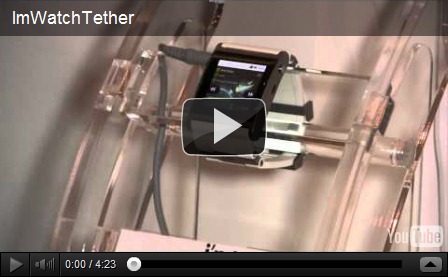
10. I’m Watch Wrists-on

We saw a few Android-powered wristwatches at CES this year, but really liked the unique tethering ability of the I’m Watch. Pair it via Bluetooth with your phone and you’ll not only be able to dial a phone number on the touchscreen keypad, but also use the watch’s speaker and microphone for the full Dick Tracy experience, sans video, from your wrist.

Monday, 16 January 2012

Coolest Gadgets of the week…


Cool CowCow USB 4-Port Hub

clip_image001

This hub can help you to transfer your data and information between your computer and the USB device. It will sound three cow calls when you plug it into the USB port.

SteriShoe sterilizes and gets rid of shoe odors

clip_image010

SteriShoe may be a product that some might think is taking things too far. However, if you’ve ever worn workboots or know someone that does, I doubt you question that it’d be a great idea for some people. Some of the reason being that you just wish you could get rid of the smell, the other part being that you really do wonder sometimes how much bacteria gets built up inside of a pair of shoes you never wash.

Lobster Taser – Time to Taser the Lobsters

clip_image004

The lobster taser which looks like a giant lobster panini press or photocopier stuns lobsters with 110 volts that delivers a shock immediately and effectively disabling said lobster’s nervous system. You can then proceed with the boiling, baking, and or grilling. We remain committed to taking out any food we eat humanely, so we look forward to more lobster tasers in the future – maybe even a home model.

Magic wand remote

clip_image005

If you’re bored of the same old TV remote, why not ditch it for this magic wand remote. Use flicks of your wrist to change the channel and big sweeping moves to record your favourite TV show. The wand will learn up to 13 commands from your old remote and you can choose which moves control each command, making your remote un-hijackable! It will also work on your Sky box, stereo or any other infra-red device.

The Double Slanket

clip_image006

Behold- the Double Slanket! Just like the original slanket it’s a blanket with sleeves, but now there’s four of them! Perfect for a nice long romantic evening in front of some weepy film- and you don’t even have to unsnuggle yourselves to eat the chocolate. Light some candles, turn of the lights and let the evening go where it will go. Particularly good for those of us who have partners that have a habit of stealing the covers. No matter how tightly they twist the bottom round their legs you’re not going to be left with just a corner to keep away the chills…

clip_image003[3]

Walkie Talkie Watches

clip_image007

The first thing we thought was “a walkie talkie in a watch? That’ll be poo! It will have no range, eat batteries, have no functions and be seriously fiddly/difficult to use”. So naturally we had to have a closer look. At first glance we were surprised by the size. They are oversized, compared to a Casio watch, but not as much as you might think. The face of the “watch” only measures in at 7 x 6 x 2.5cm and when you consider that the aerial can be folded in and out when needed it is surprisingly small. The next thing we noticed was…

Space Saving Air Hockey Table Folds Away After Play


clip_image008

The Space Saving Air Hockey Table features a powerful internal fan and automatic score box like the arcade classic, yet folds against a wall to free up space.


Xtend & Climb Telescoping Ladder

clip_image009

When you can’t even reach your track lighting to change a bulb, well, you feel like less of a man. Extend your reach confidently with the Xtend & Climb Telescoping Ladder and never come up short again when doing work around the house. This cleverly compact ladder fits in a closet or even your trunk, extending from 30 inches to 12.5 feet when fully extended


clip_image003[6]

Friday, 13 January 2012

Samsung M370 – Standard Feature Phone for the Masses

The Samsung M370 has been introduced as the phone for the masses which unlike smart phones is affordable for a majority of people.This feature phone is designed for the masses who find hard to spend their hard earned money in the name of some trendy, hi-tech and specialized cell phone with the sleekest designs and instead desires something practical, durable and affordable.

1

Samsung M370 for Practical Customers

The Samsung M370 is designed especially for practical customers. Most of the practical customers do not want numerous features on their phones and instead desires the basic features of making and receiving phone calls, sending and receiving text messages without trouble and maybe at times, supporting some multimedia features like camera, internal storage space etc.With its decent style and looks, Samsung M370 seems like a perfect purchase for all the practical customers.

Built-in Tools in the Samsung M370

Along with the usual built-in tools like calendar, calculator and task list, the new Samsung M370 is also comprised of customizable photo caller ID and speaker-independent voice dialing facilities. The speaker-independent voice dialing tool has proved to be very helpful during situations, when the users’ both hands remain occupied.It is also equipped with the new built-in parental control setting which functions by restricting outgoing or incoming direct dial calls and also serves by limiting access to data services.

The Sprint Family Locator and other features of Samsung M370

The Sprint Family Locator featured in Samsung M370 along with the help of GPS technology helps the user to locate the phones of other members of the family, by displaying the location on an interactive map.Besides this, the phone also carries a 3.5mm universal jack, a camera of 1.3 mega pixels, a 256MB ROM, a 128MB RAM and also an internal storage space of 2MB.

The Curtains Rise for Samsung Galaxy Ace Plus

Samsung has recently announced the launch of Galaxy Ace Plus, the successor of the Galaxy Ace android smartphone, which was extremely popular. It is a mid range smartphone and comes with advanced technologies and latest applications.

ace

Detailed Specifications

The new Samsung Galaxy Ace Plus has a faster CPU of 1GHz processor and has a display of 3.65 inches HGVA.

Its dimensions are 114.7×62.5×11.2 mm and it weighs just 115 grams. It also has a 5 mega pixel camera with LED flash and android 2.3 applications (android gingerbread operating system).

As far as connectivity features are concerned, this phone allows 3G internet services, WiFi, Bluetooth, GPS and other features as well. It has a screen resolution of 2592×1944 pixels; however, it has no secondary camera. It has 512MB of RAM and 3GB storage, which is expandable up to 32GB with the aid of MicroSD card.

This phone offers unhindered internet browsing with the Android Webkit browser, HTML browser, EDGE, GPRS and 3G services. It also supports audio and video playback, FM radio, MP3 ringtones, loudspeaker and 3.5mm jack. It also allows video recording, geo-tagging and smile and face detection. Among the other attractive features include

  • Image and video editor
  • Document editor and organizer
  • Google search, gmail, Google maps, Google talk and Youtube.
  • Voice dialing
  • Touch sensitive controls
New Look and yet Other Features

This smartphone has also changed by appearance; its exterior has now been made glossy rather than the matte plastic. It uses 1,300 mAH batteries and has ThinkFree and Samsung’s TouchWiz interface which shall enable users to edit excel sheets and word documents. For the purpose of social networking, this phone can provide with services like ChatON, Music Hub and Social Hub.

It is expected that the price will be around Rs. 15,000. So hurry and grab your model now!

Ten cool Windows 7 Gadgets…


All CPU Meter
The gadgetwhich is used to monitor dual-core computer running Vista wasn’t available in a quad-core version, so we can switch to All CPU Meter. It supports up to eight cores. All CPU Meter isn’t as complex as some, but the simplicity works in its favor. It monitors your memory usage as well as CPUs, and it packs a lot of information into a small space. You can change the background color to match your preferences.
Windows Orb Clock
During all the time I used Vista and the first year I used Windows 7, my analog clock gadget of choice was the electric blue version of the one that comes with the operating system. But now I’ve switched to a much cooler model: the windows Orb Clock . I love its clean look and the nice symmetry of having it just across from my Start Menu orb
Clipboard Manager
I’ve also replaced the Clipboard gadget I was using with Vista. I liked being able to access previous Clipboard items — without opening an Office app — but the old one was a little cheesy looking and limited in its functionality. Clipboard Manager looks slick and is feature-rich. You can customize the background to fit your desktop, and not just the color; you can use a photo as the background if you prefer.
You can save up to 999 clips (that’s a lot of clips!) and you can delete any clip or send it to the Clipboard or to your Favorites list with a right click. The Favorites feature lets you create boilerplate text you use often. I also like the ability to mark clips with timestamps. And unlike the old Clipboard gadget, this one supports images as well as text. It even has a privacy mode, which prevents clips from being displayed on the main gadget so that passers-by who glance at your desktop can’t see what you’ve saved to the clipboard.
Facebook Explorer
One big change in my online life since 2008 is that I’ve become thoroughly immersed in social networking. Much of the discourse that used to take place through email discussion lists now occurs via Facebook. A Facebook gadget seemed like almost a necessity, but the first one I tried (Facebook Sidebar 1.5) didn’t work. It never picked up my info even though it said it was connected. So I tried Facebook Explorer, which worked nicely. It can be configured to run in a smaller or larger width and one of three heights, and you can specify how often you want updates (from every one to 60 minutes). It gives you a compact view of your own status and information or friends’ activities, as shown in two views of the gadget in. You can also update your status in the flyout.
Ultimate Explorer
Ultimate Explorer lets you search popular sites from your desktop without having to go to those sites first in your browser. It’s a compact little gadget with that can search Google, YouTube, Wikipedia, eBay, Amazon, Digg, and many more. You can make it larger if you have plenty of desktop real estate, and you can select up to eight search sites for “snap search,” which enables you to “snap” quickly from one search engine to another. It also includes a flyout calendar and events feature. And unlike the vast majority of gadgets, it even has a flyout Help section, as shown
App Launcher
One aspect of Windows 7 that annoyed and frustrated many users was the omission of the Quick Launch toolbar. If you’re like me, for years you’ve relied on the Quick Launch bar to access your frequently used programs. There is a way to get Quick Launch back, but unlike with previous versions of Windows, you can’t separate the Quick Launch bar from the main Taskbar. That means it takes up precious space on the Taskbar that you might need for open programs, system tray items, etc.
Enter the App Launcher gadget . It serves the same purpose as the Quick Launch bar but can be placed anywhere you want on the desktop. You can add whatever programs you want by dragging them to the gadget, configure the number of icons to display per row and whether to center them, and change the background image.
MiniTV
Want to take a break and catch up on the news? The MiniTV gadget allows you to choose from a number of stations (many of which I’ve never heard of, as well as familiar ones, such as NBC News and C-SPAN). You can watch the program in the tiny gadget window or you can double-click it to display full screen. Just double-click again to get out of full screen mode.
Traffic by Bing Maps
Traffic is a simple little gadget that can be useful if you’re about to head out into the big, bad world. I don’t use it as much as some folks would, since I work from home. But I still have to venture onto the major freeways now and then, and it’s nice to know in advance if there are going to be problems along a particular route. One caveat is that you need to live in (or be traveling in) a major metro area to use it. You can zoom in or out, and clicking the traffic info button (which is represented by the red light icon in will take you to a full sized map of the area on Bing Maps, complete with the traffic data.
Magic Folder
Okay, granted, the icon isn’t the most professional looking, as you can see in . And many folks won’t like the idea of having a folder make decisions about where to save their files. But for those who always seem to end up with dozens of files sitting on the desktop because they never get around to moving them into appropriate folders, Magic Folder could be a godsend. You just drag your files to the magic folder and it examines the file extensions and sends the files to the “right” folder. For example, .doc files go to the Documents folder; .jpg, .gif, and other image files go to the Pictures folder. The nice thing is that you can add or remove the file extensions recognized by the gadget, change where specific extensions should be put, and you add your own folder locations. If you want to maintain more control, you can set the gadget to prompt you before it moves a file to a folder. Oh, and you can also change the appearance of the folder icon to something a little less…  magical.
Open/Close DVD
Open/Close DVD is utterly simple. But it’s handy to have if your computer is sitting under your desk like mine, making it difficult to get to the button for opening the DVD drive door. Just click the open button (the down-pointing arrow shown in and it opens; click the Close button (the up-pointing arrow) and it shuts. It doesn’t get any simpler than that. One thing to watch for: If you have more than one drive attached, it will open/close both of them — there is no option to select a particular drive.